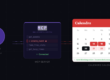

We just shipped one of our most requested features: availability sharing. You can now generate a clean, human-readable summary of your free time across all your calendars and share it instantly — via email, Slack, or a public link anyone can view.
The problem: “When are you free?”
We’ve all been there. Someone asks when you’re available for a meeting, and you spend the next five minutes flipping between three calendar tabs, mentally subtracting overlapping events, and trying to compose a reply that doesn’t miss anything. Multiply that by every scheduling email you send in a week, and it adds up fast.
Calendrz already mirrors your availability across all your connected calendars automatically. Now it can also tell you — and anyone else — exactly when you’re free.
How it works
In your Calendrz dashboard, you’ll find a new “Share Your Availability” widget. Set your preferences — how many days ahead, your working hours, minimum slot length, whether to include weekends — and hit Generate.
Calendrz checks every event across all your connected Google and Microsoft calendars, finds the gaps, and uses AI to format them into natural language you can paste directly into an email or Slack message.
Choose from three tones depending on the context:
- Casual — “I’m free Monday 2–4pm, Wednesday morning, or anytime Friday after 2.”
- Formal — “I have availability on Monday April 7th between 2:00–4:00 PM, Wednesday April 9th before noon, and Friday April 11th from 2:00 PM onward.”
- Short — “Mon 2–4p, Wed AM, Fri 2p+”
One click copies the text to your clipboard. Done.
Share a public availability page
Sometimes you don’t want to paste text — you want to send a link. Every Calendrz user on a paid plan gets a unique shareable URL that shows your availability for the next 7 business days in a clean, branded page.
The link is completely private by design: it uses an opaque identifier (no email addresses or account IDs in the URL), and only people you share it with can see your free slots. The page shows structured time blocks grouped by day, with your timezone clearly noted — no Calendrz account required to view it.
This is perfect for:
- Sharing with recruiters or external contacts who don’t use your calendar system
- Dropping into a Slack channel so your team can see when to book time with you
- Adding to your email signature during busy periods
- Sending to clients who need to pick a meeting slot
Smart defaults, full control
The availability generator is designed to just work out of the box, but you can fine-tune everything:
| Setting | Default | Options |
|---|---|---|
| Days ahead | 7 | 1–14 |
| Working hours | 9 AM – 5 PM | 6 AM – 9 PM |
| Minimum slot | 30 minutes | 15 / 30 / 60 minutes |
| Include weekends | No | Yes / No |
| Tone | Casual | Casual / Formal / Short |
Events marked as “free” or “transparent” in your calendar are correctly ignored — only genuinely busy time blocks your availability.
Available on all paid plans
Availability sharing is available on all paid Calendrz plans — Basic, Plus, Pro, and Ultimate. If you’re on the free tier, you’ll see the widget in your dashboard with an option to upgrade.
Already a paid subscriber? Log in to your Calendrz dashboard and scroll down to the “Share Your Availability” section — it’s ready to use right now.
Not a Calendrz user yet? Sign up free and connect your calendars in under a minute. Your availability is already being mirrored — now you can share it too.